

1
Coin
Open veto.fun/launch and add an image, a name and a ticker, then choose what to pair your coin with: SOL, a stablecoin, a tokenized stock or another token. Description and links to X, Telegram and your website are optional. Pairing.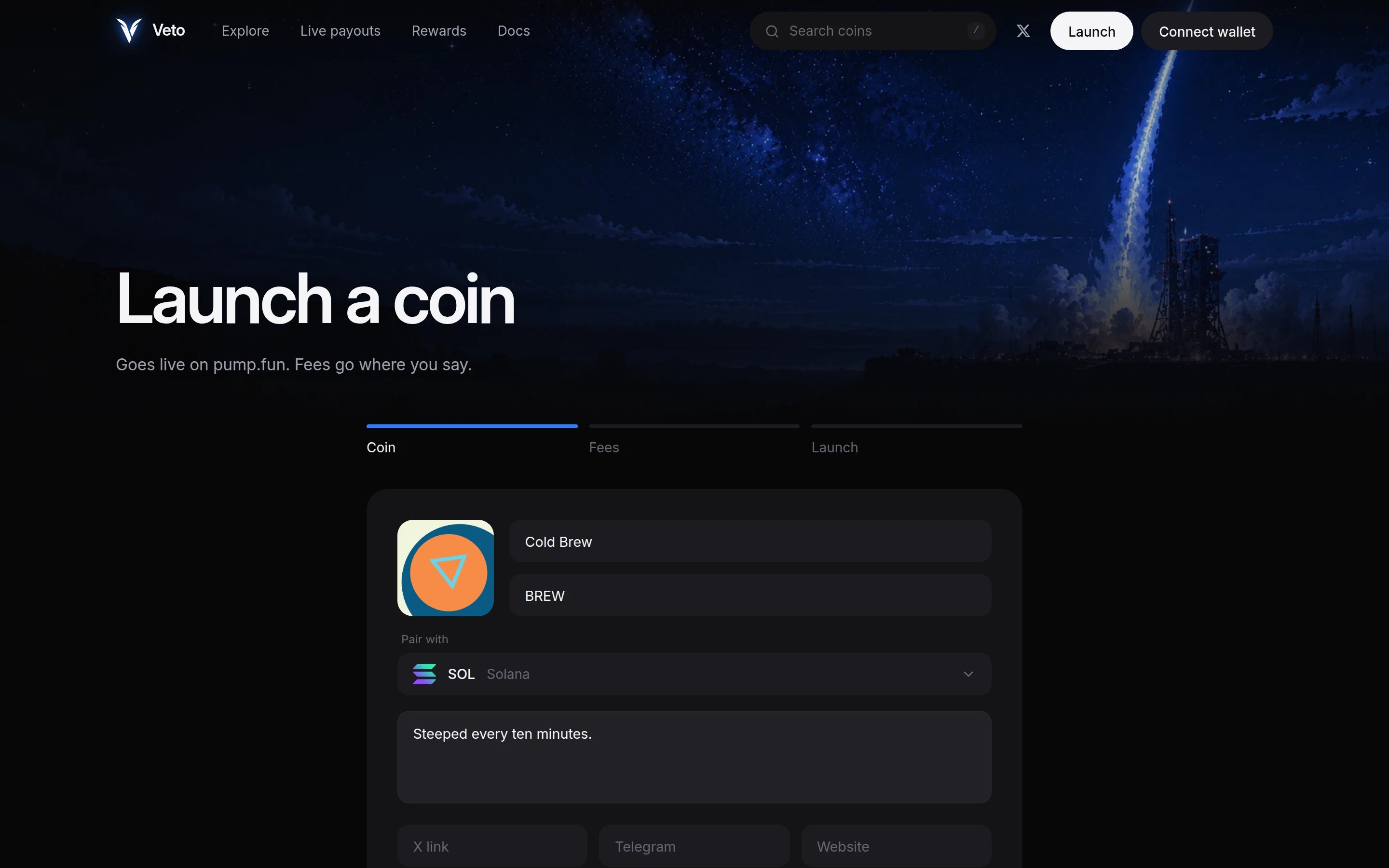
2
Fees
Pick a preset or drag the sliders to set how fees are split between the jackpot, buyback and burn, holder rewards and the creator. The four always add up to 100%.Only the settings for the jobs you use are shown. Under Advanced you can set the minimum holding that counts as a holder and exclude wallets such as team or exchange wallets.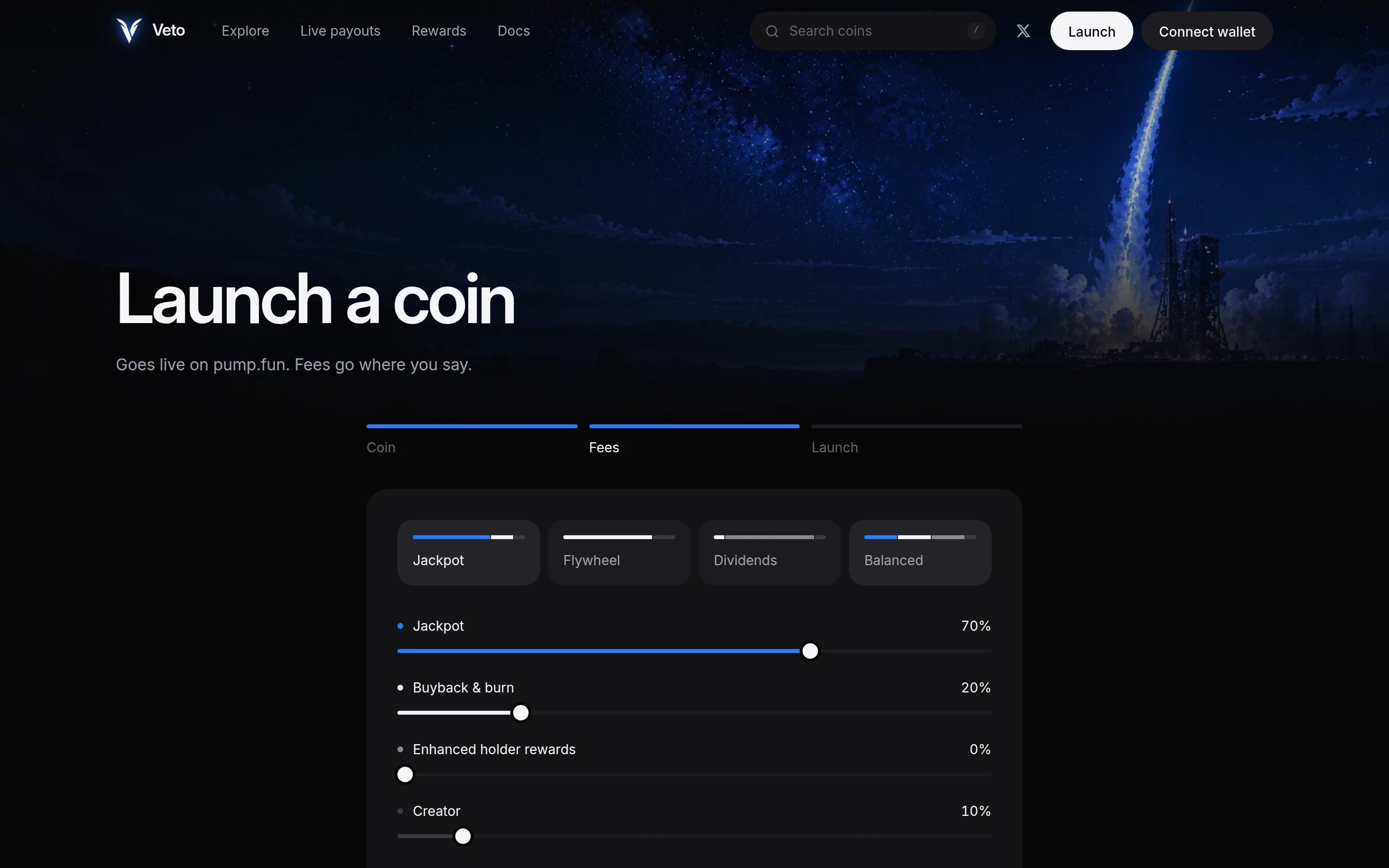
3
Launch
Review the split, add an optional dev buy and select Launch on pump.fun. Your wallet asks you to approve one transaction. Once it confirms you land on your coin’s page.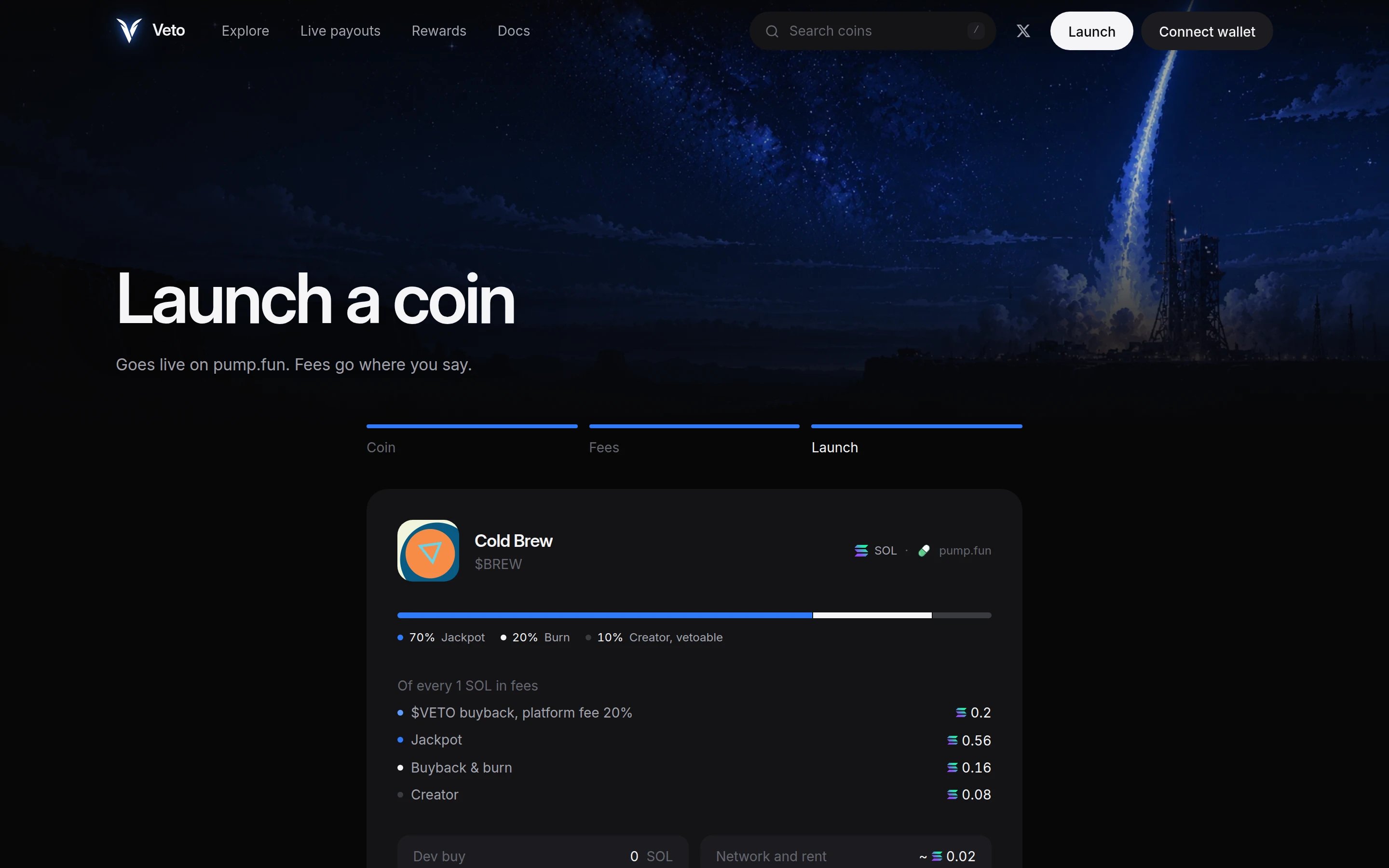
What you sign
Veto builds the pump.fun create transaction on its server and your wallet signs it. You pay for it, and it contains:- the pump.fun
create_v2instruction for your coin, - your dev buy, if you set one, so nobody can buy before you,
- a flat launch fee, only if Veto charges one. Launching is currently free.
Your coin’s creator
On pump.fun, your coin’s creator is its fee vault, not your wallet. That’s what lets the engine claim fees automatically. The vault only collects fees and pays them out as set at launch. Learn about fee vaults.After launch
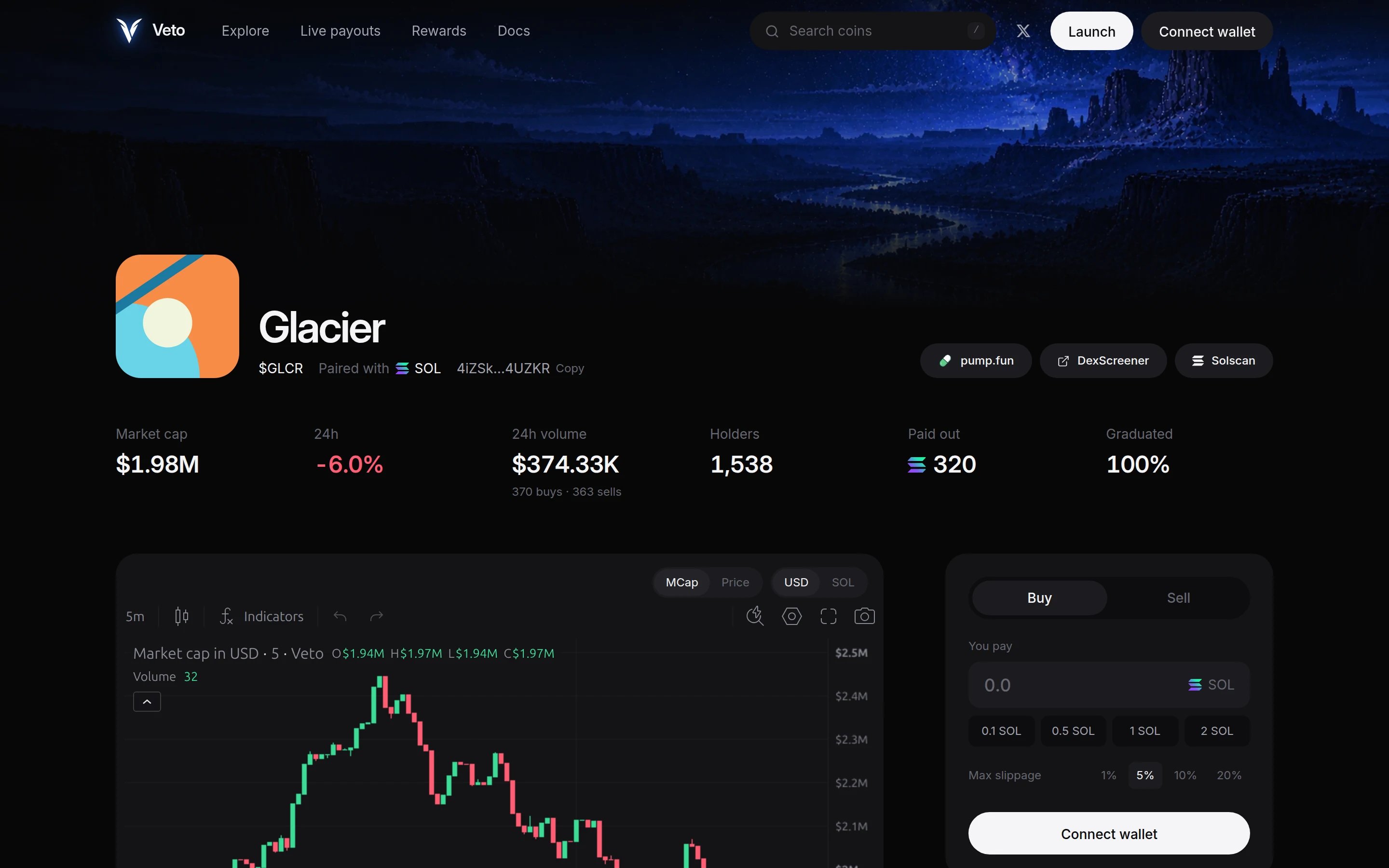
Every coin gets a page with its chart, pots, payouts and a trade panel.
- The first fee cycle runs within 10 minutes.
- Your coin’s page shows live pots, payouts and a link to every transaction.
- Your creator cut goes to the payout wallet you set, which defaults to the wallet you launched with.